此博客搭建过程参考的资料在"关于"页面可详细了解。本文具体步骤也可能会给出具体参考的内容。
不能正确渲染主题 - 2025.01.28
此博客采用源码-博客页分离的结构搭建。
源码为hugo个人博客的源码,设为github私有仓库,通过git action,在每次push之后,通过hugo -D命令云端编译生成public文件夹中的内容之后将public文件夹内的内容推送到GitHub - XingfenD/xingfen-star.github.io仓库中。
在搭建阶段,我将themes子文件夹下的第三方主题仓库设置为该主项目的子模块,导致在上传到私有仓库后,themes文件夹中没有实际的主题文件。最终导致无法编译出所选主题的页面。
我在github action中添加步骤Print Directory以打印路径信息,最终定位此问题并修复,完整的githu action如下。
最终博客项目的结构为三个仓库:
-
Hugo源码仓库(通过gitignore忽略public, resources, themes文件夹)
-
主题仓库(Hugo源码仓库的public文件夹)
-
Github Page仓库(Hugo源码仓库的public文件夹)
name: deploy

# 代码提交到main分支时触发github action
on:
  push:
    branches:
      - main

jobs:
  deploy:
    runs-on: ubuntu-22.04
    steps:
        - name: Checkout
          uses: actions/checkout@v4
          with:
              fetch-depth: 0

        - name: Setup Hugo
          uses: peaceiris/actions-hugo@v3
          with:
              hugo-version: "latest"
              extended: true

        - name: Print Directory
          run: tree -L 3 -d

        - name: Clone Theme
          run: git clone https://github.com/XingfenD/hugo-theme-custom.git themes

        - name: Git Configuration
          run: |
            git config --global core.quotePath false
            git config --global core.autocrlf false
            git config --global core.safecrlf true
            git config --global core.ignorecase false

        - name: Build Web
          run: hugo -D

        - name: Print Directory
          run: tree -L 3 -d

        - name: Deploy Web
          uses: peaceiris/actions-gh-pages@v4
          with:
              personal_token: ${{ secrets.ACTION_ACCESS_TOKEN }}
              external_repository: XingfenD/xingfen-star.github.io
              publish_branch: main
              publish_dir: public
              commit_message: auto deploy
主题配置后代码块显示异常 - 2025.02.02
使用hugo-theme-stack主题后
发现在白天模式下的代码块颜色异常,如下图所示:
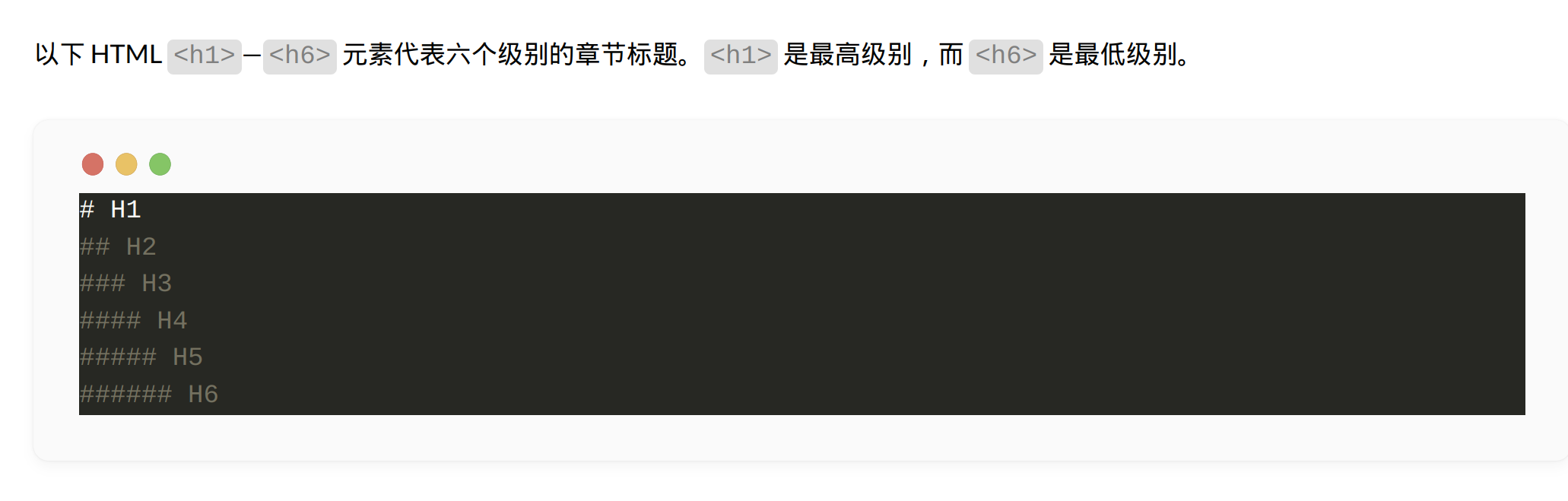
在通过修改hugo-theme-stack主题的scss文件后成功定位异常原因:
hugo编译md文件后生成的博文html文件中的codeblock为如下结构:
<div class="highlight">
    <pre style="">
        <code class="language-markdown">
            <span class="line">
            ...
        </code>
    </pre>
</div>
图中所示的深色异常颜色为<pre>标签的style属性控制,因此导致全局scss文件失效。
阅读官方文档后,在`hugo.toml`中添加配置:
markup.highlight.noClasses=false
问题得以修复。
修改配置文件以激活右侧边栏 - 2025.02.12
阅读Stack主题官方文档右侧边栏配置项可以了解如何修改配置文件以激活右边栏。
在config.yaml文件中修改配置项[params.widgets]:
params:
    widgets:
        homepage:
          - type: search
          - type: categories
            params:
              limit: 10
          - type: tag-cloud
            params:
              limit: 10

        page:
          - type: toc
          - type: categories
            params:
              limit: 5
          - type: tag-cloud
            params:
              limit: 5
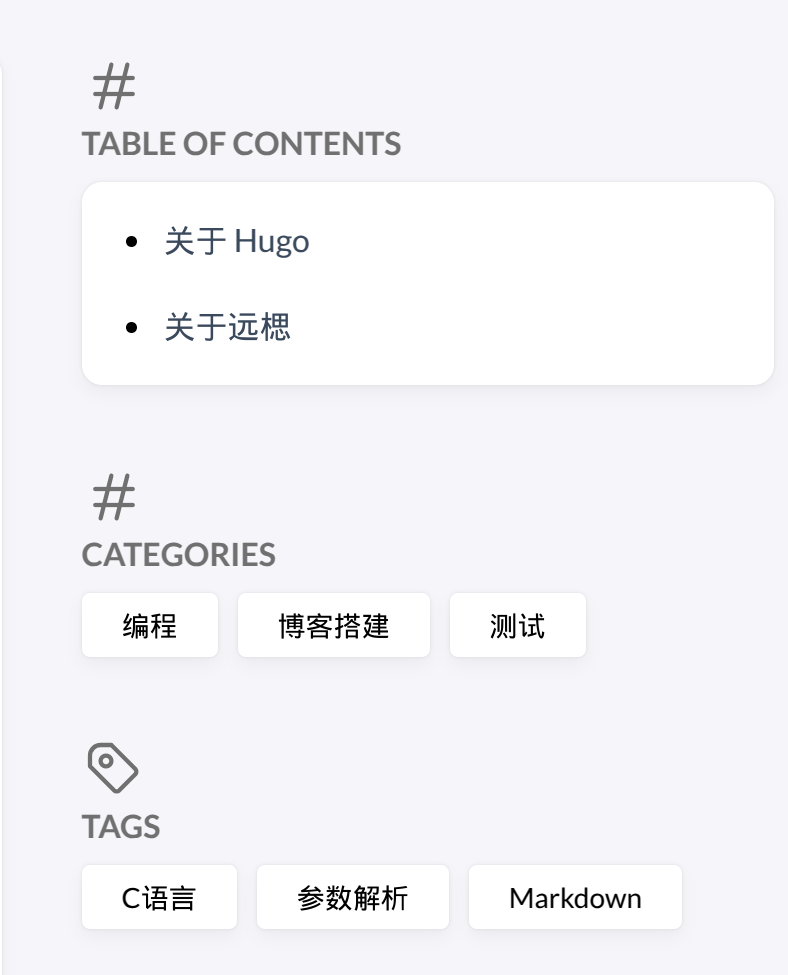
配置生效后右侧边栏效果如下图:
不能正确渲染abbr, sub等特殊html标签 - 2025.02.12
查阅在线资料修复Hugo静态生成器中忽略原始HTML的方法后,在hugo.toml中添加配置项:
markup.goldmark.renderer.unsafe=true
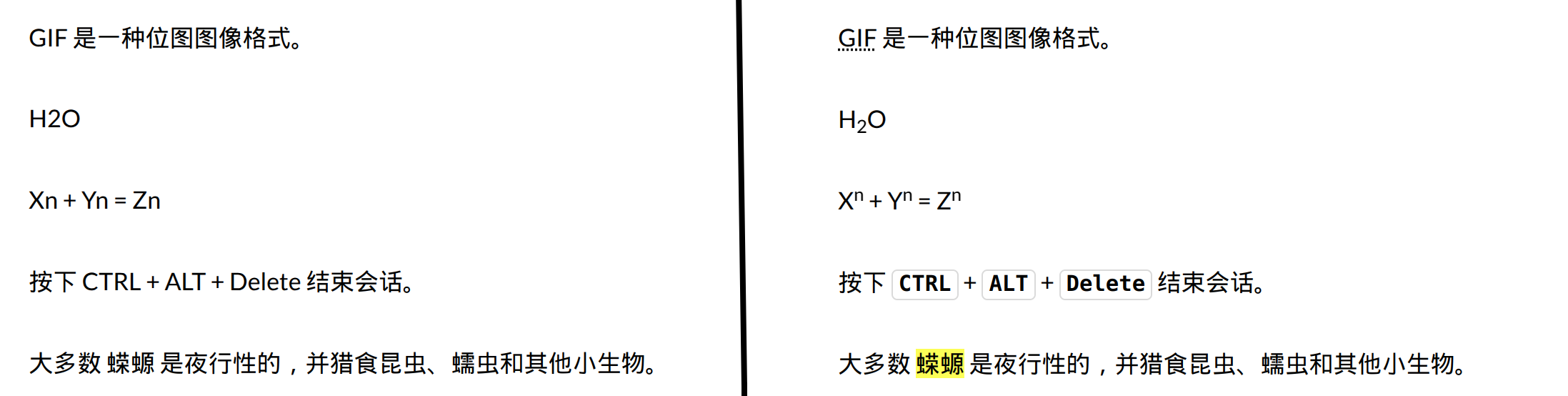
成功渲染,效果如图。